AI Engine
Which AI powers TellMore AI. By default it is ours, included in your plan — and on an own-key package, this is where you put your own Google Gemini or OpenAI key.
You probably do not need this tab
Out of the box TellMore AI runs on TellMore AI's AI. Nothing to set up, nothing extra to pay, it is part of your plan. Most owners never open this tab, and that is fine.
It exists for businesses that want the AI usage billed to their own account instead of ours — and every package is half price that way (see Packages).
On our AI, the tab shows See own-key packages: it opens Billing & payments on the package list with the own-key prices already selected.
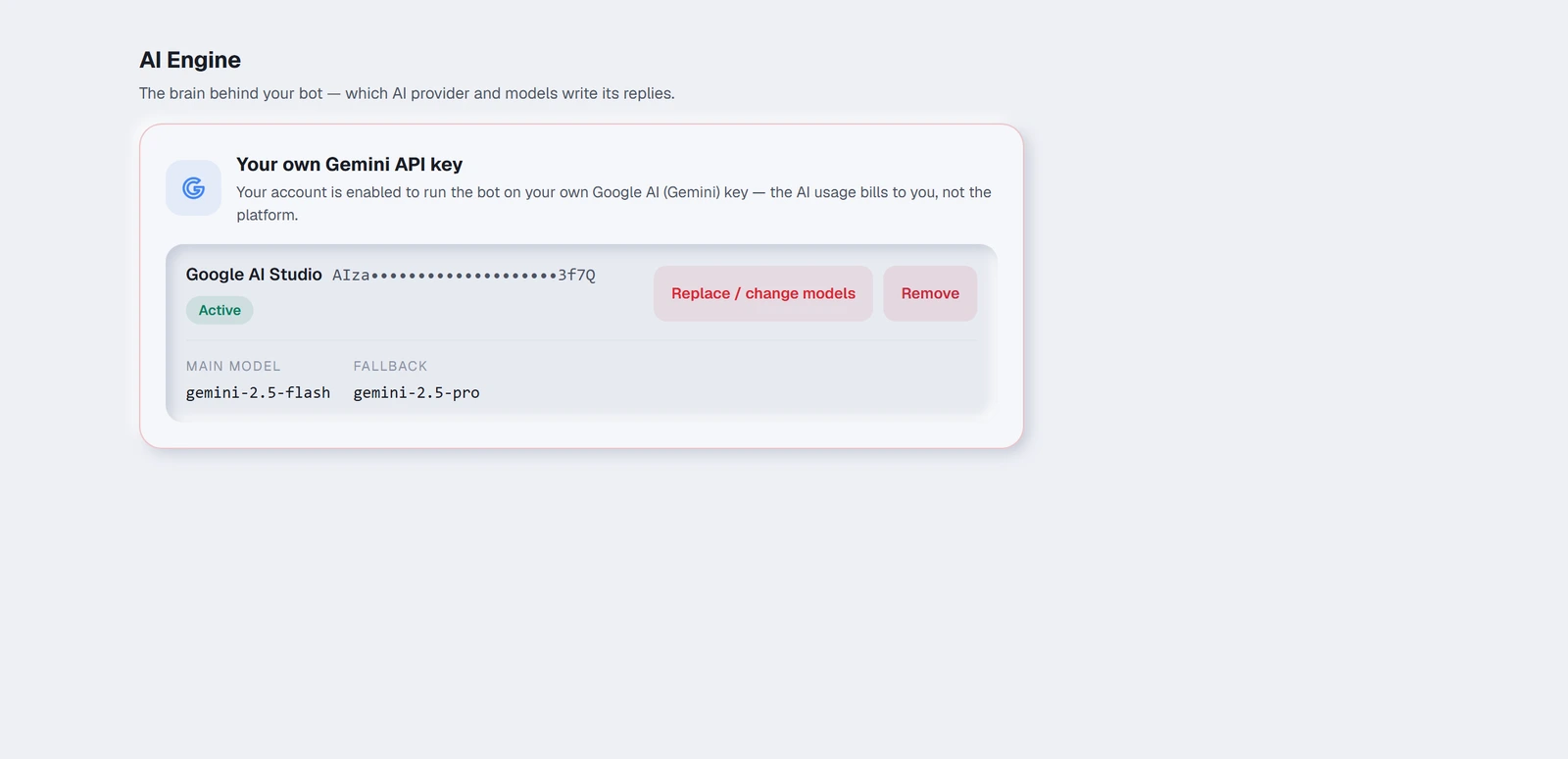
Bringing your own key
Two things have to be true before you can:
- 1Your package must be an own-key one. In Billing & payments, choose any package and switch it to Own AI key before you pay. When the payment is confirmed, this tab opens by itself.
- 2You need an API key of your own: Google AI (Gemini) from
aistudio.google.com→ *Get API key*, or OpenAI fromplatform.openai.com→ *API keys*. OpenAI needs prepaid credit in Settings → Billing — a ChatGPT Plus subscription is not API credit — and shows a new key only once, so copy it straight away.
Once enabled, the tab shows a box for the key.
- 1Paste your key.
- 2Press Check key & load models. We test it with Google or OpenAI before saving anything.
- 3If it works, we pick a sensible main model and a fallback for you. Change them if you want to. With OpenAI the list shows only models that can do the whole job — chats and photos (GPT-4o, GPT-4.1, GPT-5 and newer).
- 4Press Verify & activate.
Main model and fallback
The main model answers your customers. The fallback takes over if the main one is busy or unavailable, so a momentary problem at the provider does not leave a customer waiting. A higher-quality main model gives better answers and costs you more per message — the choice is yours, since it is your bill.
What happens if your key stops working
If your key runs out of quota, is revoked, or stops working for any reason, the tab says Not working — TellMore AI paused and TellMore AI stops replying, politely.
It does not fall back to TellMore AI's AI.
Going back to ours
To run on our AI again, renew on a Standard package in Billing & payments. That closes this tab and removes your saved key, and TellMore AI answers on our AI, included in the plan.
On an own-key package, removing the key here does not switch you to our AI — TellMore AI waits until a key is saved again. Nothing about your training, channels or history changes either way.
Everything runs on your key
On your own key, all of the AI runs on it: replies, reading photos, voice notes, and the search that matches your products and documents. That is why the package is half price.
Searching your products and documents needs every item turned into numbers by the same provider. When you switch provider, we redo that for your items: a small catalogue (up to 40 items) straight away as the key is saved, anything larger in the background overnight — until then some items may not be found.